
 Klicke hier für den deutschen Artikel.
Introduction
This knowledgebase article shows how to manually apply a patch for the Report Server provided by combit Support.
Note: Starting with version 31, a so-called
LatestPrerelease Service Packis available in the download area (alongside the regular service pack). The following instructions are therefore only relevant up to version 30.
Shutdown Report Server
First, shut down the combit Report Server as described below.
-
Open the
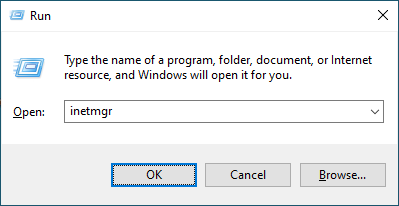
Internet Information Services (IIS) Manager. To do this, search forIISin the Windows search. Alternatively, press the key combinationWindows + Rand start the programinetmgr.
-
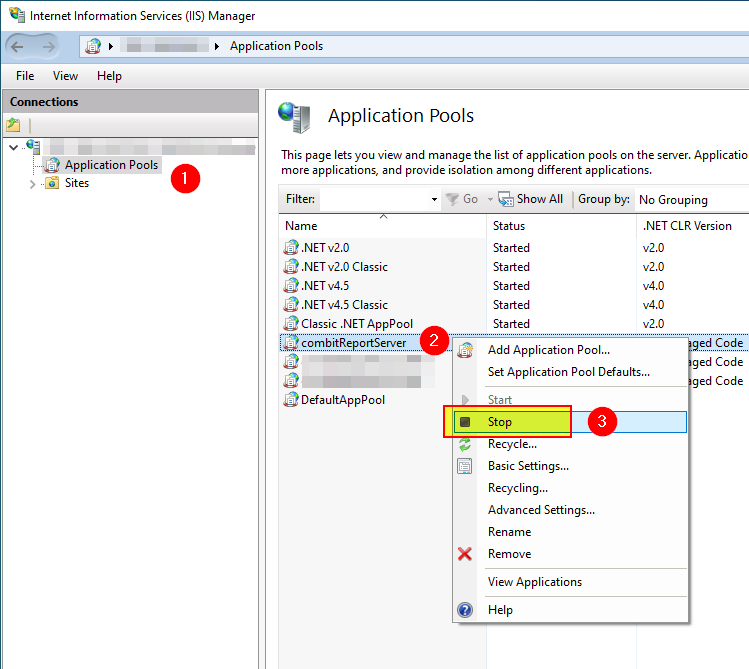
Stop the
combitReportServerapplication pool. Leave theInternet Information Services (IIS) Manageropen.
-
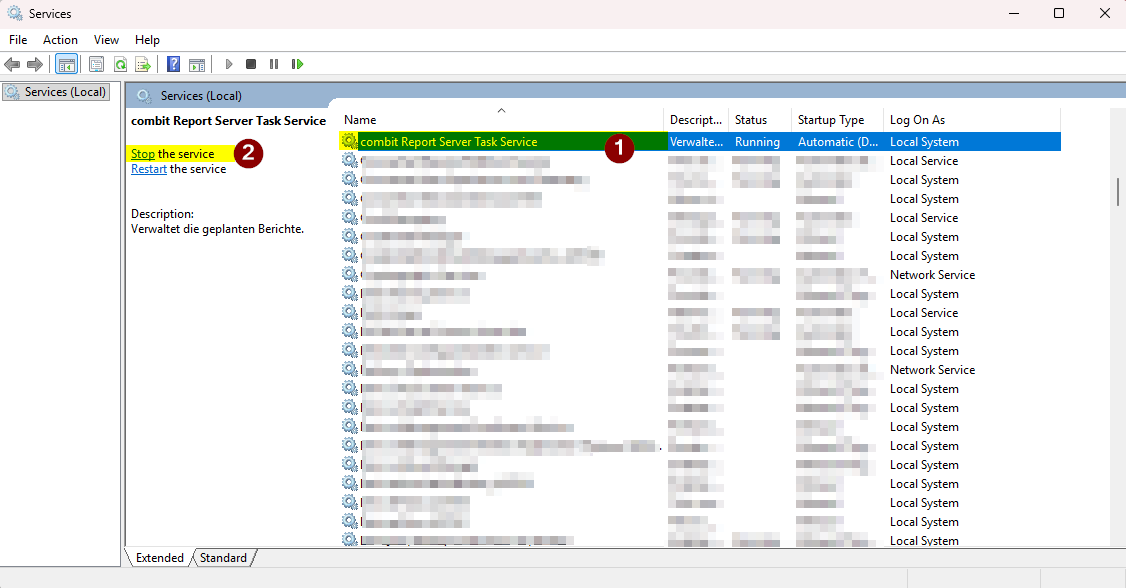
Open the Services management. To do this, search for
servicesin the Windows search. Alternatively, press theWindows + Rkey combination and start theservices.mscprogram. Then stop the combit Report Server Task Service:
Apply patch
After shutting down the Report Server, the program files can be replaced. To do this, proceed as follows.
-
To do this, first unpack the ZIP file received from combit Support to any location.
-
Open the installation directory of the Report Server in Windows Explorer. By default, the Report Server is installed under
C:\Program Files\combit Report Server. -
Important: Create a backup of all contained files and subdirectories.
-
Copy the contained directories and files of the ZIP file unzipped in step 1 into the Report Server installation directory opened in step 2. Existing files may have to be overwritten.
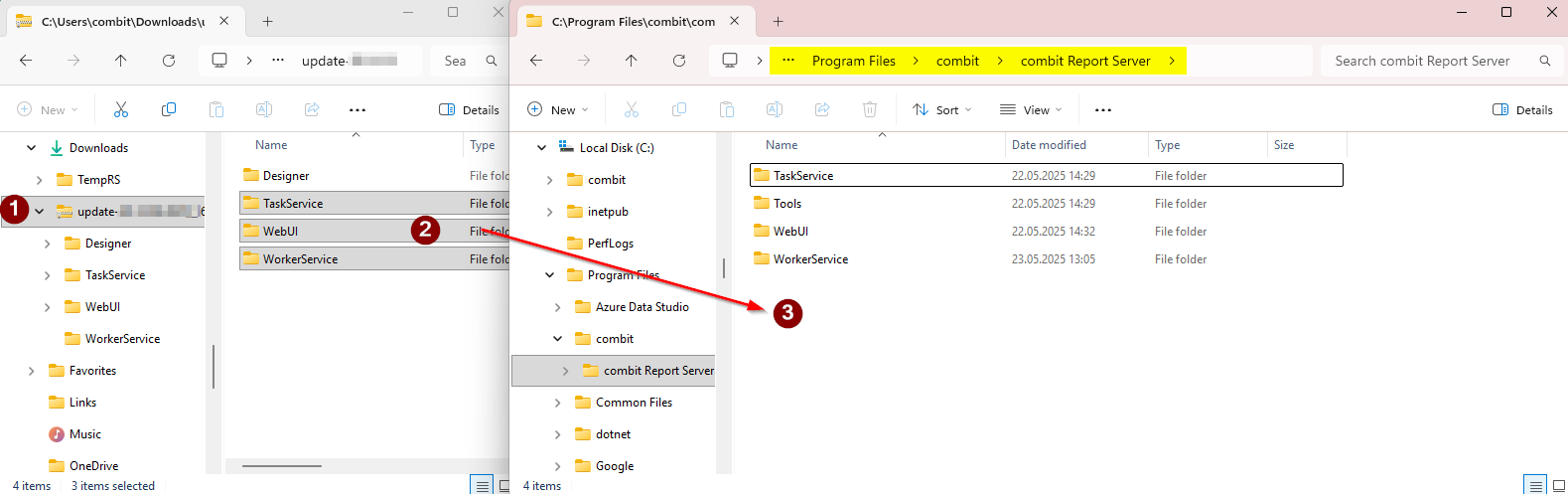
Important: Do not delete the already existing directories before copying!
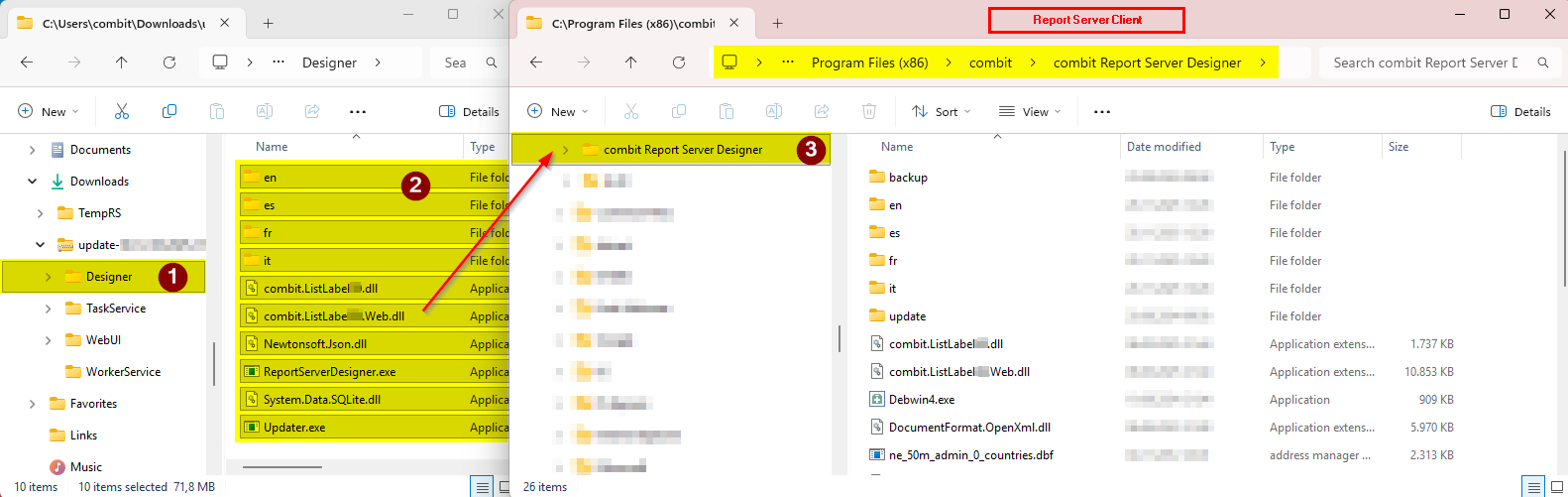
- Now go to the client(s) on which you are using Report Server Designer and copy the unzipped contents of the
Designerfolder to the corresponding folder on the client as described in the screenshot. Again, the folder must not be emptied beforehand and any existing files must be overwritten.
Start Report Server
The patching is now complete. Restart the Report Server as follows.
-
Open the services management (
services.msc) again and start thecombit Report Server Task Service. -
Open the
Internet Information Services (IIS) Manageragain, right-click on thecombitReportServerapplication pool and selectStart.