
I’m using LL 30 and VC++. When I print a report click on Start and choose to save not able to set a default file name for Save print output as as that is always coming as empty.
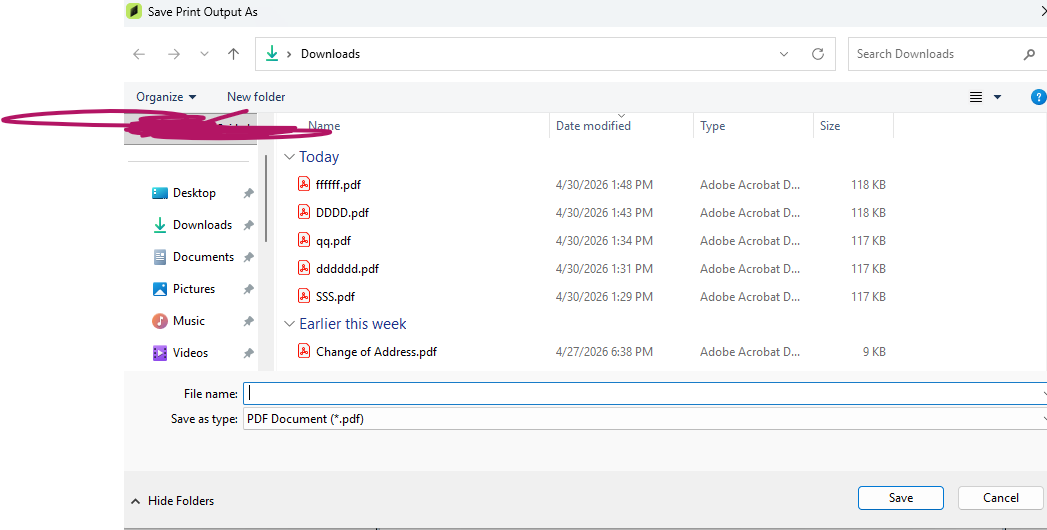
Any help, please?
Thank you very much in advance.
I’m using LL 30 and VC++. When I print a report click on Start and choose to save not able to set a default file name for Save print output as as that is always coming as empty.
Any help, please?
Thank you very much in advance.
You need to set the export option for the file name. For C++, see here:
https://docu.combit.net/progref/en/index.html#!Documents/exportwithoutuserinteraction1.htm
The relevant part (adapted for PDF) 
LlXSetParameter(hJob, LL_LLX_EXTENSIONTYPE_EXPORT, "PDF",
"Export.File", "export.pdf");
LlXSetParameter(hJob, LL_LLX_EXTENSIONTYPE_EXPORT, "PDF",
"Export.Path", "c:\\temp\\");
This needs to be called before starting to print.
Thanks for the reply . When printing to a physical printer (not exporting to PDF), how can I retrieve or include the file name of the document being printed.nRet = LlPrintWithBoxStart(LLJob,
LL_PROJECT_LABEL, strReportFile,
LL_PRINT_NORMAL, LL_BOXTYPE_STDABORT, wnd, name ); i have this
@jbartlau while printing to phyical printer or one note any help on that ? i want it for printing mechanism not for exporting . Can you pelase help
Depending on the printer driver, you might be able to do this via LL_PRNOPTSTR_PRINTDST_FILENAME, see the sample at LlPrintSetOptionString. Make sure to call LlPrintSetOptionString after starting the print but before the first LlPrint().
LlSetOption(m_hLLJob, LL_OPTION_HELPAVAILABLE, 0);

if ( strPrinterName.GetLength() )
{
	LlSetPrinterInPrinterFile(m_hLLJob, (LabelReport ?
					LL_PROJECT_LABEL : LL_PROJECT_LIST),
					strReportFile, -1, strPrinterName, 0);
}

nRet = LlPrintWithBoxStart(m_hLLJob, (LabelReport ?
					LL_PROJECT_LABEL : LL_PROJECT_LIST), strReportFile,
					LL_PRINT_NORMAL, LL_BOXTYPE_STDABORT, hWnd, strName);

if ( nRet != 0 )
{
	ProcessError(nRet, _T("TEST"));
	return(FALSE);
}

LlPrintSetOptionString(m_hLLJob, LL_PRNOPTSTR_PRINTDST_FILENAME, strName); /added this but not working

if ( nCopies )
	LlPrintSetOption(m_hLLJob, LL_PRNOPT_COPIES, nCopies);

if ( nStartPage > 0 )
	LlPrintSetOption(m_hLLJob, LL_PRNOPT_FIRSTPAGE, nStartPage);

if ( nStopPage > 0 )
	LlPrintSetOption(m_hLLJob, LL_PRNOPT_LASTPAGE, nStopPage);
Please check this code not working as expected
As I said, this might depend on the printer driver. You might be better of creating a support request where we can safely exchange log files and diagnostic information.