
Hello!
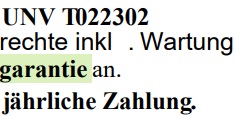
We’re having issues where PDF exports contain incorrect spacing between characters/words. No invisible characters exist in these gaps, it’s purely a measurement or a positioning issue. It appears randomly within documents and varies by environment.
Application: .NET 10 based headless application
Environments:
- List & Label: Version 28, 30, and 31 tested, seems to have no impact on the outcome
- Deployment: Local (Visual Studio), Docker (Windows Server Core LTSC 2022), Azure Kubernetes Service (Windows Server Core LTSC 2022 containers)
- Font families tested: Roboto, Arial, Times New Roman
Fonts are installed to the container according to the guidelines stated in: Windows Docker: Tips and Tricks for List & Label
The overall structure of the application is equal to the basic structure in said post. Changing the VirtualDeviceScalingOptions seems to also have no effect on the outcome.
Issues according to environments with some examples (see attached pics):
-
Cloud container: Large gaps between characters
-
Local (VS): Mild but noticeable gaps
-
Local Docker container: Some gaps still exist, but some characters overlap (sort of like a reversed effect?)
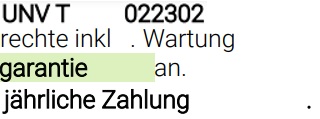
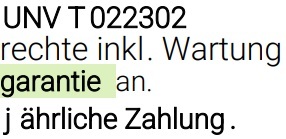

Observations:
-
Affects both Formatted (RTF) and plain Text fields
-
Occurs with regular weight fonts as well, but bold amplifies the effect, especially at the end of sentences before the dot.
-
All three fonts show the issue:
-
Roboto: (See attached pictures above)
-
Arial:
-
Times New Roman:
-
-
Disabling Printerless mode produces same kind of errors, just in different places
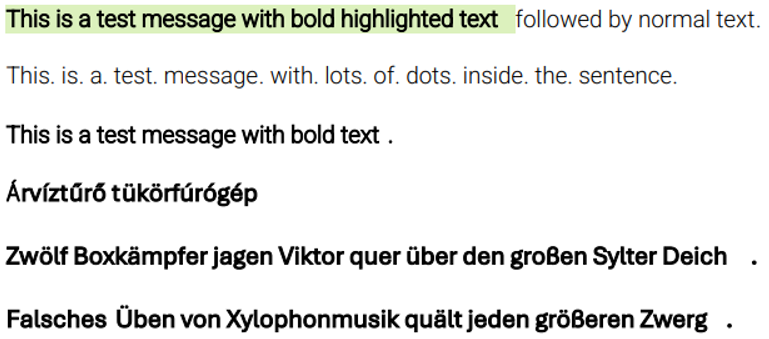
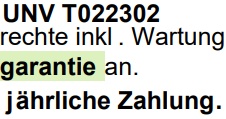
What are we missing or configuring incorrectly? Is there a specific combination of options, font registration method, or initialization order that is required for correct text measurement in this scenario?
Thank you in advance!