
 Klicke hier für den deutschen Artikel.
Introduction
Starting with List & Label 31, the Cross Platform samples have gradually been migrated to Avalonia. This article explains how to work with the samples on Windows and then publish and run them on macOS or Linux.
What is Avalonia?
Avalonia is a cross-platform UI framework for .NET. It allows you to build desktop applications for Windows, macOS, and Linux from a shared codebase.
In brief:
-
XAML-based and comparable to WPF in many areas
-
Cross-platform support for Windows, macOS, and Linux
-
Built on .NET
-
Open source under the MIT license
-
Supports the MVVM architecture pattern
-
Uses hardware acceleration for UI rendering
Prerequisites
For the following steps, you need:
-
Visual Studio on Windows
-
the required List & Label Cross Platform sample
-
access to a Mac or Linux system on which to run the application
-
the project files, report templates, and databases used by the sample
Using Avalonia in Visual Studio
The samples can be opened, built, and run in Visual Studio on Windows as usual.
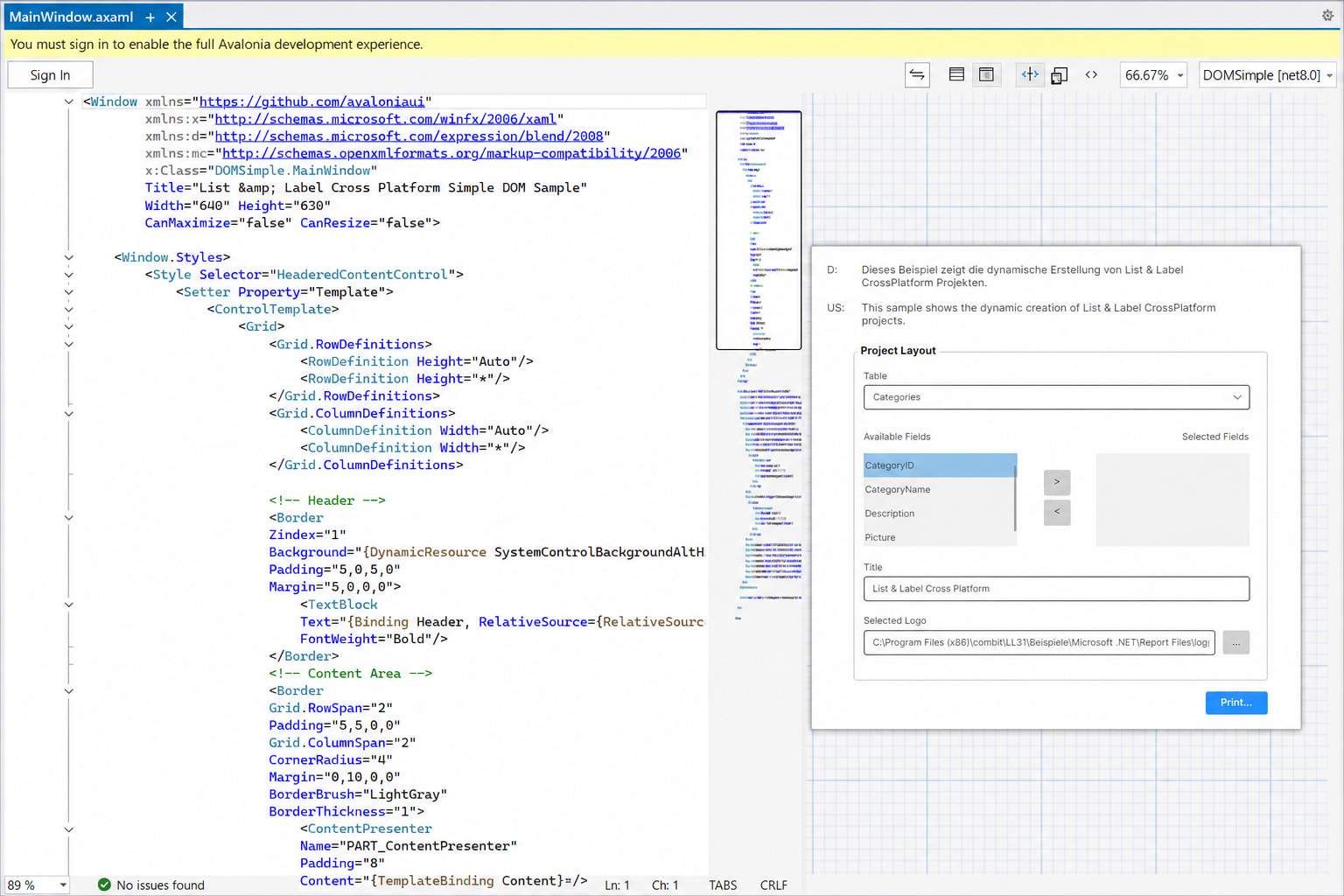
To edit the user interface and display a preview directly in Visual Studio, install the Avalonia for Visual Studio extension via Extensions > Manage Extensions.

A live preview is then available, allowing you to see changes to the XAML interface directly in Visual Studio.
Publishing the sample for macOS or Linux
To run a sample on macOS or Linux, publish it for the respective target platform.
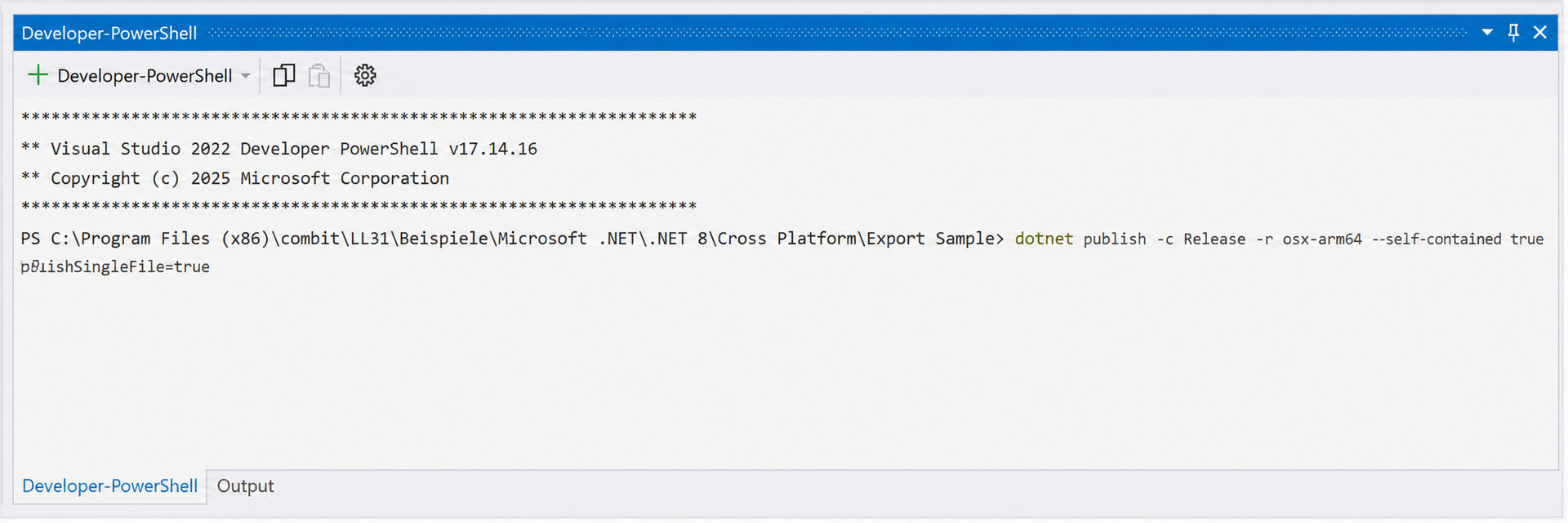
In Visual Studio, open a Developer PowerShell in the project via Tools > Command Line > Developer PowerShell.
macOS on Apple Silicon
For current Macs with Apple Silicon processors, use the following command:
dotnet publish -c Release -r osx-arm64 --self-contained true /p:PublishSingleFile=true
Linux on x64 systems
For a Linux system with an x64 architecture, use:
dotnet publish -c Release -r linux-x64 --self-contained true /p:PublishSingleFile=true
Parameter reference
| Parameter | Description |
|---|---|
| -c Release | Builds the project using the Release configuration. |
| -r osx-arm64 | Publishes the application for macOS on Apple Silicon. |
| -r linux-x64 | Publishes the application for Linux on x64 systems. |
| –self-contained true | Includes the required .NET runtime. .NET does not need to be installed separately on the target system. |
| /p:PublishSingleFile=true | Creates a single executable file. |
Depending on the target platform, the published files are available in one of the following directories:
bin\Release\net8.0\osx-arm64\publish
bin\Release\net8.0\linux-x64\publish
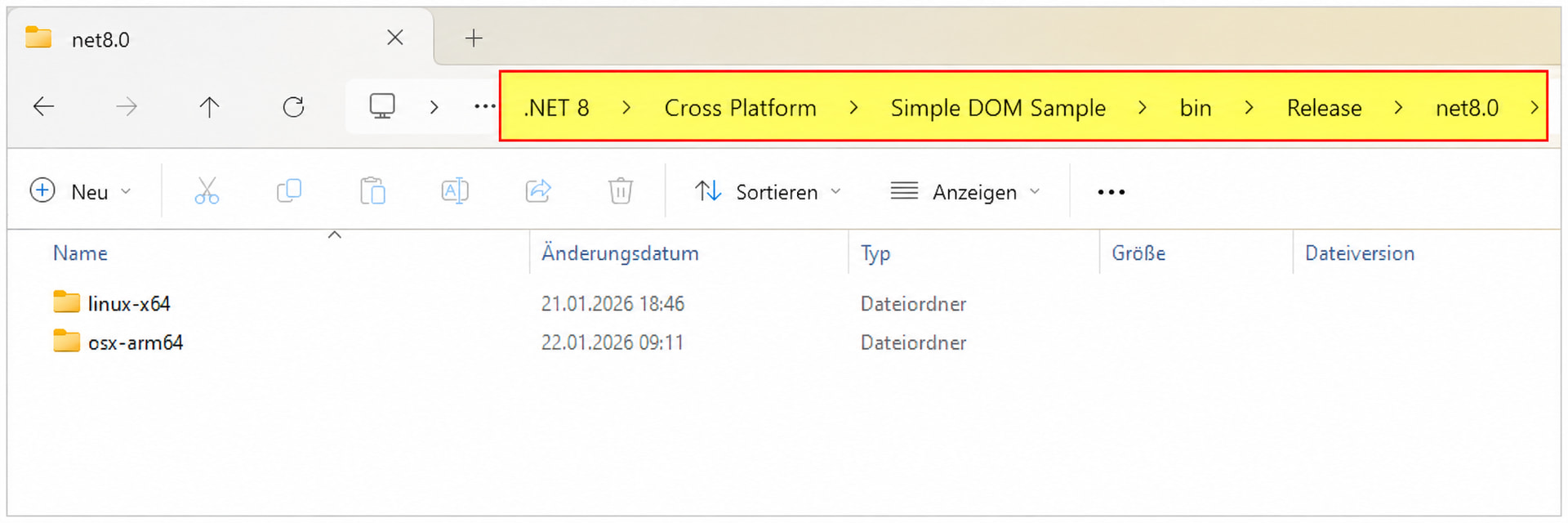
Note: The .NET target framework used by the project may differ depending on the sample and List & Label version. Adjust the directory path accordingly.
Running the application on the target system
Copy the complete contents of the publish directory to the Mac or Linux system.
Make sure that all resources required by the sample are available and that the configured paths are correct. These resources may include:
-
report templates and project files, such as
*.json -
databases, such as
*.db -
any additional files accessed by the sample at runtime
The executable does not have a file extension. In the Simple DOM Sample, for example, it is named DOMSimple.
Additional step on Linux
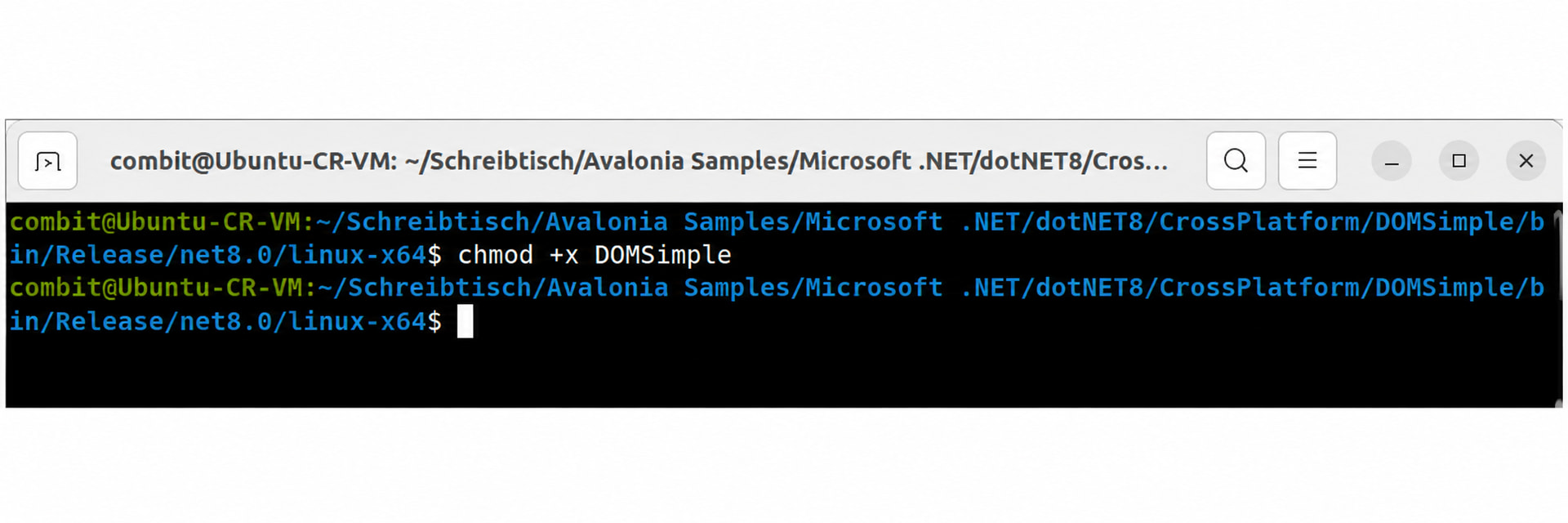
On Linux, you may first need to mark the file as executable.
Open the application directory in a terminal, for example by selecting Open in Terminal from the context menu.
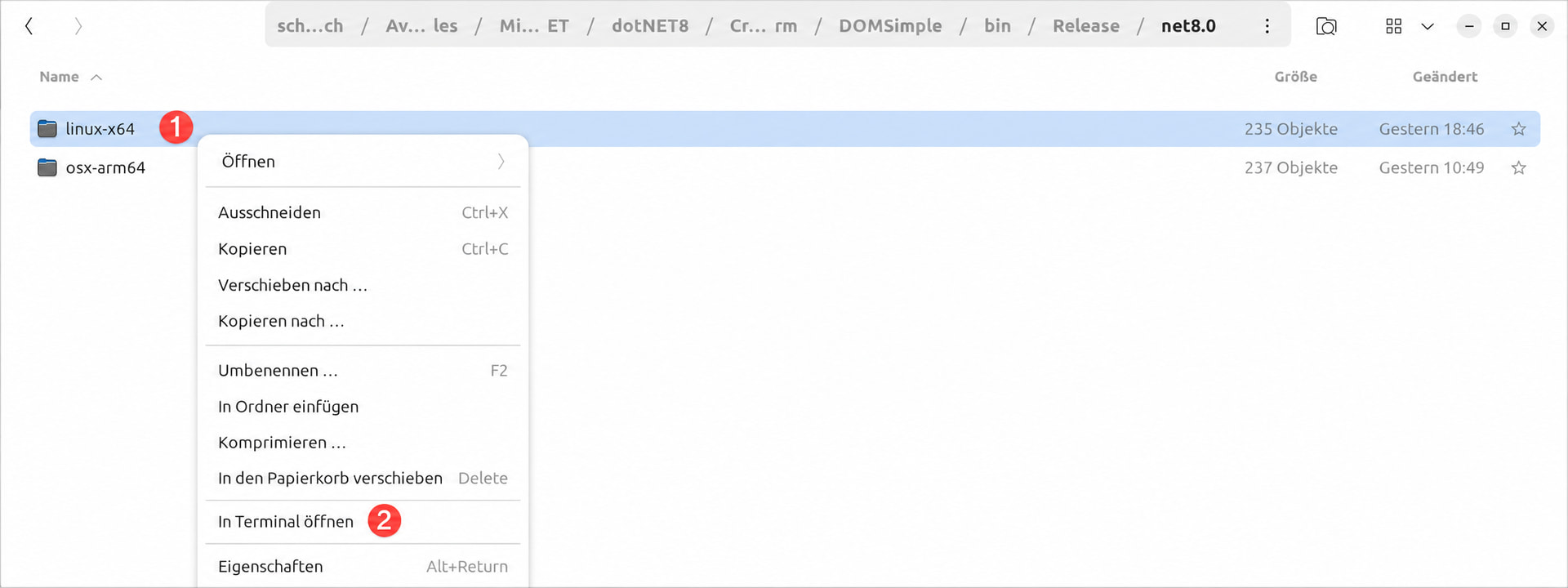
Grant execute permission to the file:
chmod +x DOMSimple
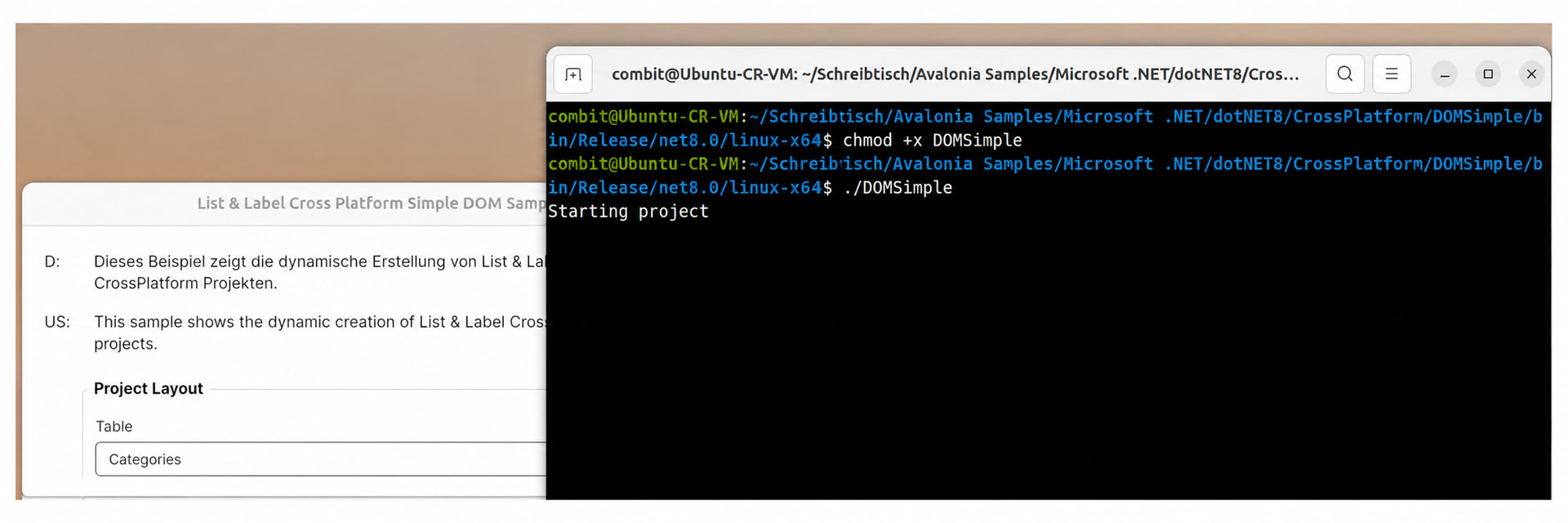
Start the application by double-clicking it or from the terminal:
./DOMSimple
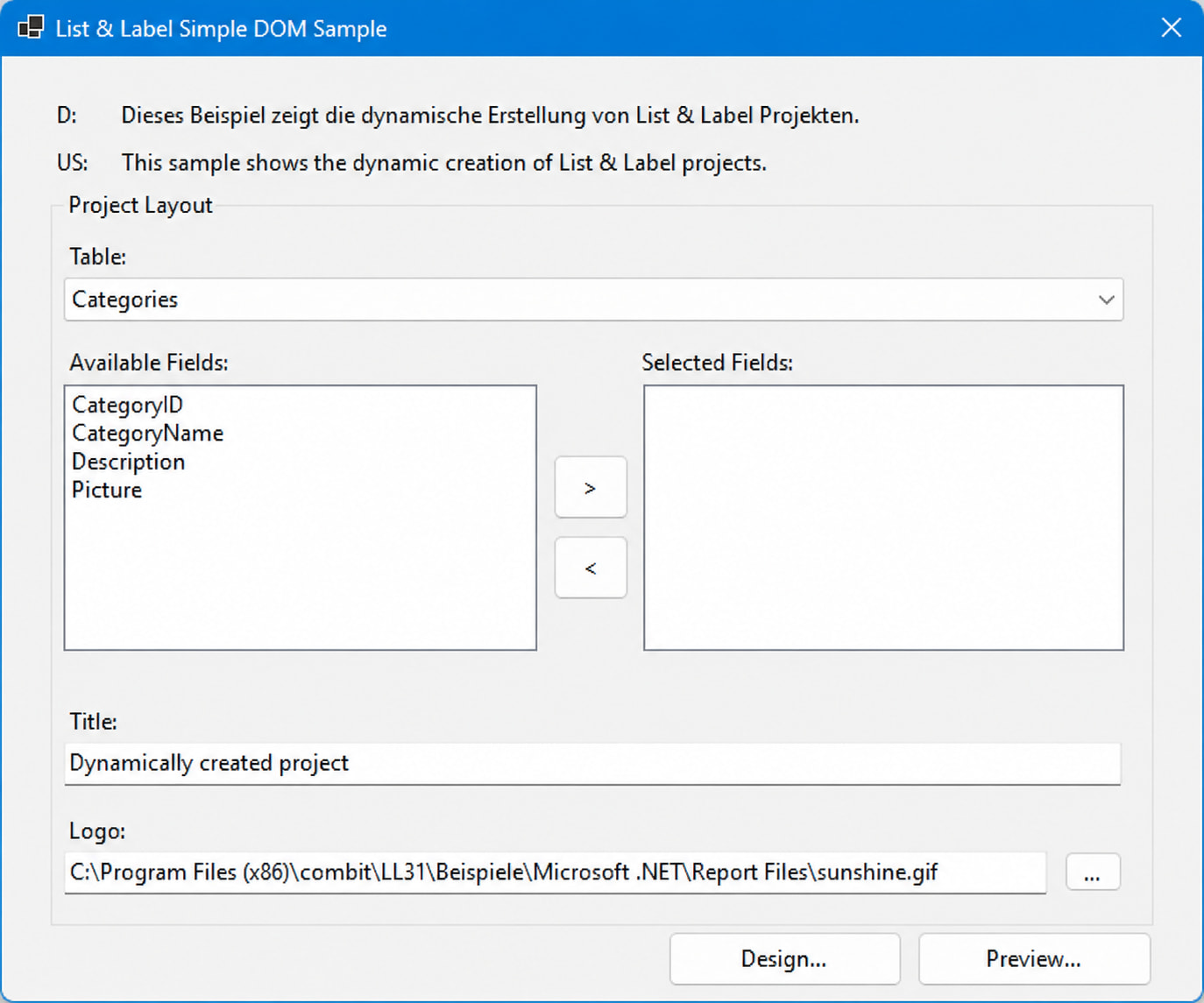
Result
The Simple DOM Sample is already familiar from the classic WinForms version:
The Avalonia version provides the same sample application across platforms. The following image shows it running on Ubuntu, macOS, and Windows:
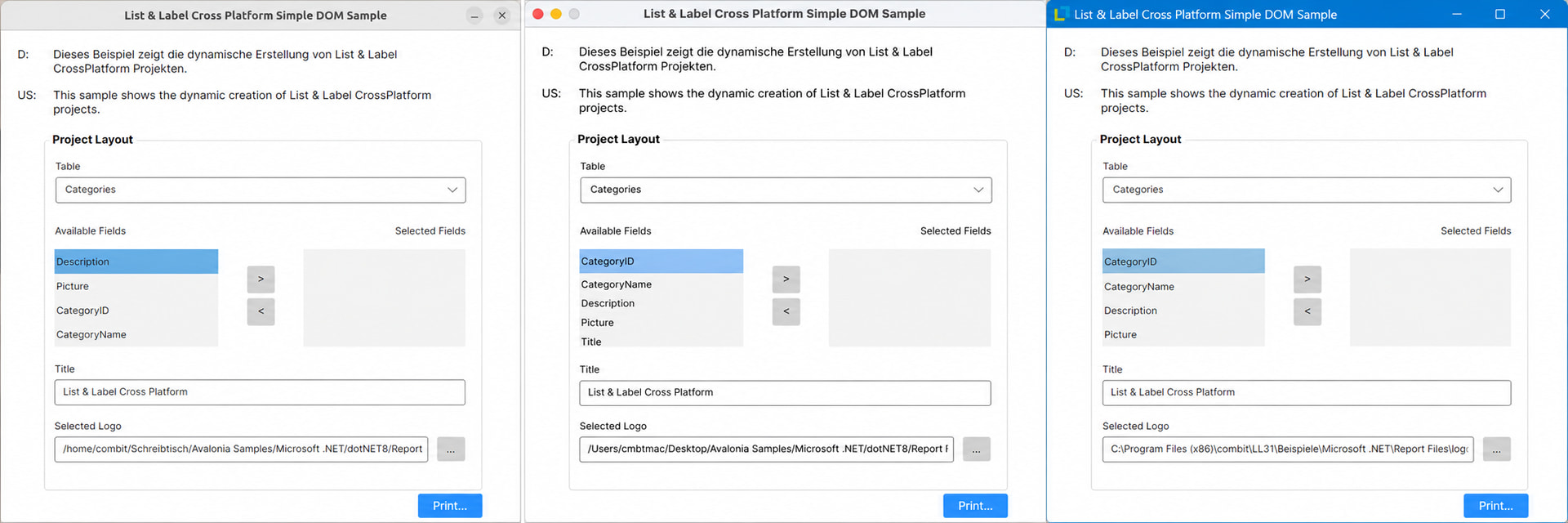
This allows you to develop the Cross Platform samples on Windows and then publish them as self-contained applications for macOS or Linux.