
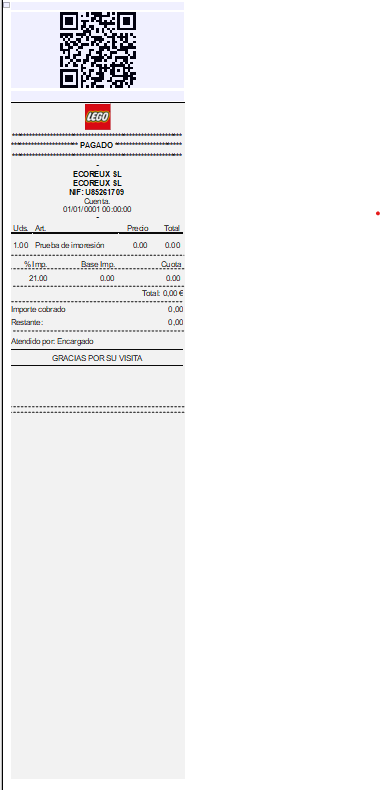
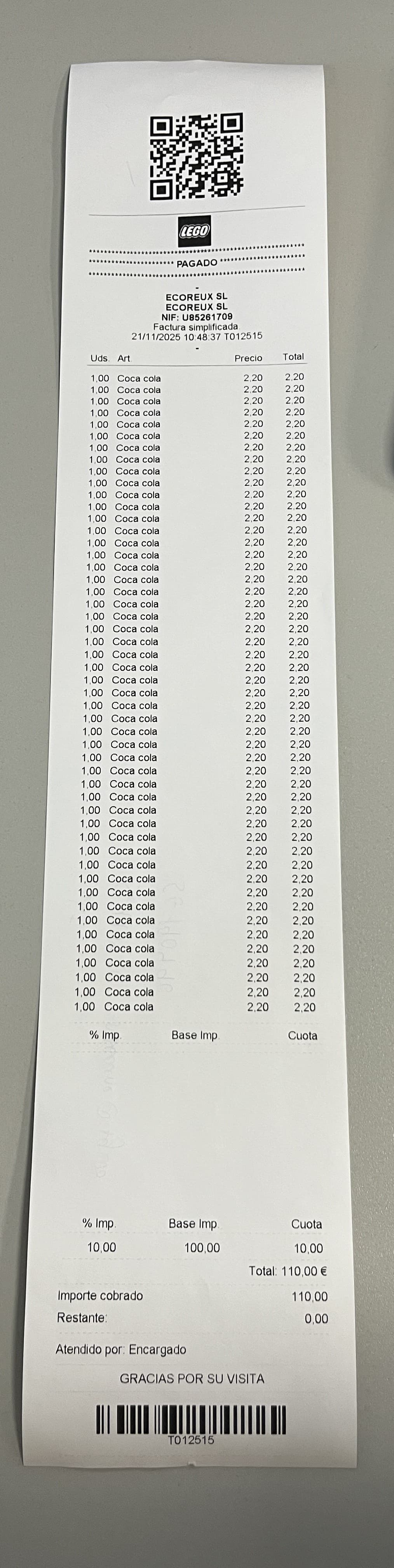

The problem happens to me when it supposedly jumps to another page and leaves a gap the size of the QR.
The QR is assigned to page 1 and what is inside the “CuerpoTicket” is in a layer that I have created without any conditions.
What I want it to do is not create that space.
Could you include a ZIP with your project file here?
TPVO000018.zip (9.8 KB)
As far as I see, the object linking is not correct. You have the “referenciaTitulo” object that seems to “reserve” the header area. What you should do is
- also link the “separadorDatosTicket-Lineas” object to the “referenciaTitulo” object
- link the “CuerpoTicket” to the “referenciaTitulo” object and change the link mode to “relative, at end” and the size adaption to “inverse”.
Here’s a tutorial, you should be able to adapt this easily to your use case: The Individual Size and Position Adaptations.
TPVO000018.LST (200.4 KB)
I have done what you told me but now it repeats the column titles and continues to generate the gap
I’d recommend contacting our support team if you’re the developer of this app, as this issue should be straightforward to resolve. You will need to change the appearance condition of the header lines to Page() == 1 to ensure they only appear on the first page. However, there may be follow-up questions that could be quickly addressed in a brief call.