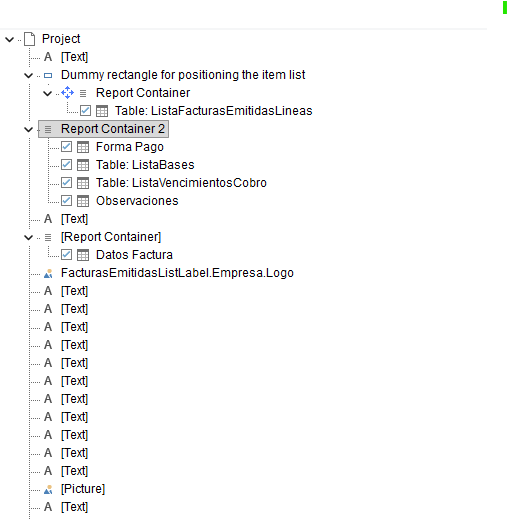
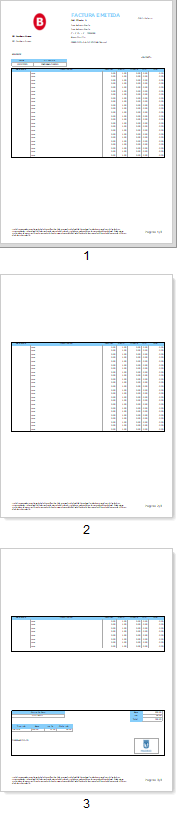
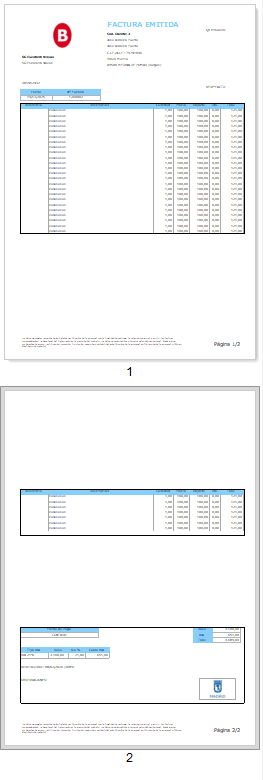
I have a problem with the page breaks in the report and the way the data is displayed. There are 2 report containers, the first reaches to the bottom and the second overlaps on top of the first. The second only appears on the last page and the first, if it does not enter the page, causes a jump, but when the table does not exceed a few lines it would not have to make the page break and it does. What I would like it to do is to only make the page break when the first report container contains enough lines that it overlaps on top of the second. By the way, the version of the list&label is 27.
could you try the following, if not already tested by you?
Could you move the table that is in the separate report container in the “main” container, so that every table is in the same container? This could lead to the wanted result and would make the design a bit simpler.
PS: If possible, maybe you can work with only one report container instead of the current three?
I have already tried that but the problem is that I want the second report container to always appear in the footer regardless of how far the first report container goes(I want them not to overlap one another), which is why I have divided it into 2 containers.
I see. Do you by chance use our Invoice sample as a report base (due to the dummy rectangle)? Could you try out the different linking options, those might help here.
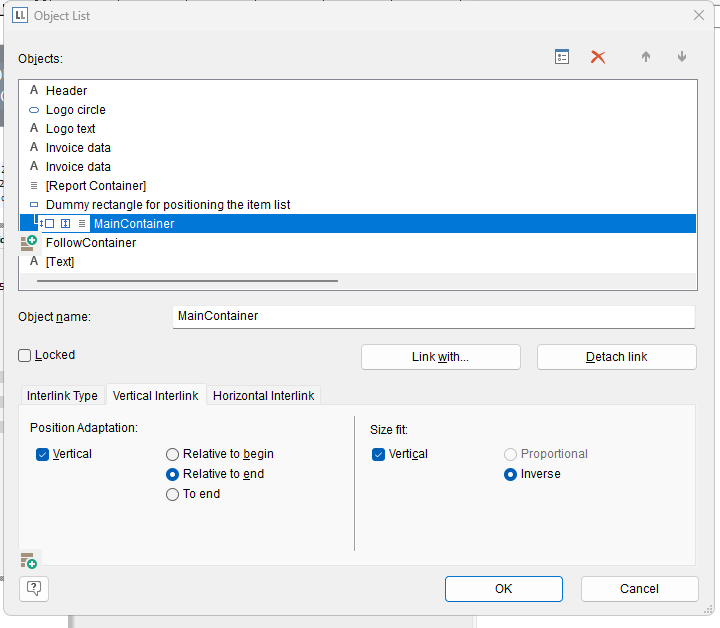
Right click on the first container, click “Object list” and link the first container with the second one. You then could try for example in the settings for the second container the interlink type “Individual size and position adaption” in combination with the “Vertical interlink” setting “Vertical” → “To end”.
This might result in a configuration that gets to behaviour you want.
I created the report from scratch but I based it on yours to make the fictitious rectangle.
I know that if I put them in the same report container it will come out with the shape I want except for the second container that would not always appear in the footer. I have done what you told me of linking the first container to the second with the conditions you proposed and it does the same.
Does it make a difference if you dont overlap the two containers with each other, by sizing the containers themselves accordingly?
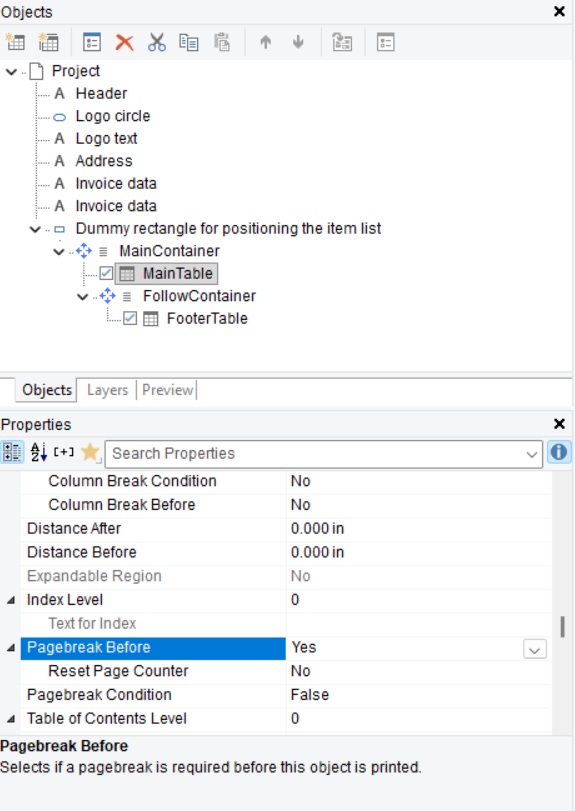
Due to your description, I suspect that somewhere is a setting that forces the page break. In our Invoice example there is one single “Pagebreak before” setting which is set to “Yes”. If you “copied” or worked after our example, maybe this was transferred as well? Please check the layout settings for all tables for a Pagebreak option.
As an example a screenshot from our Invoice example:
I have checked it and in no case have I applied that condition to any container or tables. I have tried putting that condition on everyone but they do the same thing. Which one should that condition apply to?
This condition should not apply at all. It was just an idea, that a copied Page break condition might be the cause of this behaviour. If no objects have the Page break condition, this would be correct in my understanding.
Is every container on the same layer or are they separated in “First page” and “Following pages” layers?
Did you check what happens when you size the containers so that they dont overlap anymore?
I think the best for further troubleshooting would be if you could share your project file.
I tested and tried to rebuild your project file in an environment which I can also run and maybe found out the reason for this specific behaviour. At least if I change my project setup, I can probably reproduce the same behaviour:
You have a third container as a “header” container. In the object list it is the last one though. If I move it higher up in the object list (in my rebuild of your project file, specifically above the “footer” container), I dont have the unnecessary page break anymore. Note that List & Label prints object after object, from top to bottom. Most likely the appearance condition set in the “footer” container (Cond(TotalPages$() == “1”,True,LastPage())) is not working correctly due to that.
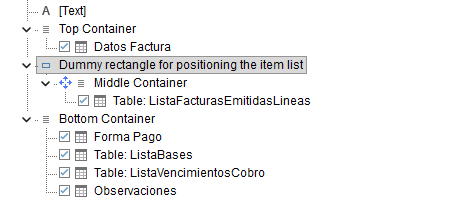
I think the solution is either to remove this condition or move the “header” container up in the object list. This change I made in my attached copy of your invoice. Please test this project file and tell me if that fixes it.
I have copied the 3 containers to my file because yours generates an error, even so I understood why I couldn’t do it the way I was doing it.
One more cuestion when the amount of data is so high that it has to turn the page, it generates those gaps, so that it does not generate those gaps and fill the page, do I have to play with the rectangle dummy?
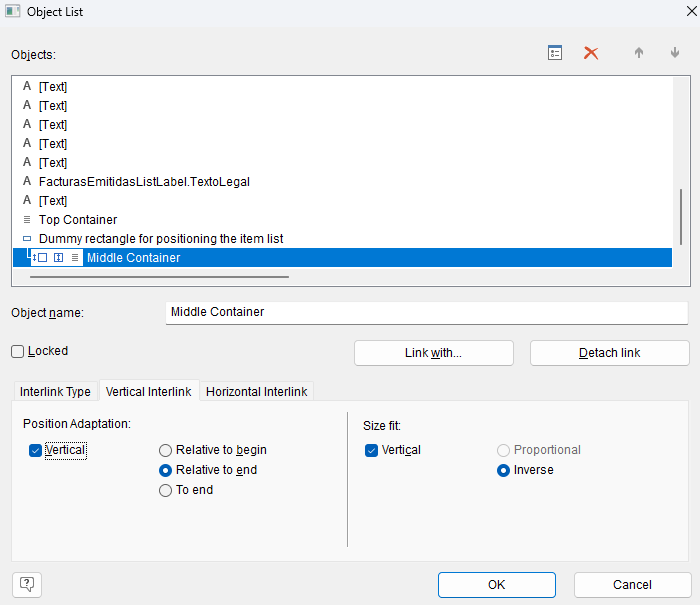
This could be happening due to the interlink settings of the “Middle container”. Below are settings that seem to work fine in my own Invoice example, with which I also tested your problem with the unnecessary page break. Could you set them like in the screenshot if not already configured so?
I think for further troubleshooting we would need you to recreate the problem in our demo application, so that you could send us that “demo” project file. Then we are able to fully use the file (as for example in your current project file we are missing the data source etc.)
If you have the option to test with a more up to date version of List & Label (since List & Label 27 is relatively old), I would suggest that as well. Maybe this current behaviour that is happening was fixed in a newer version.
Remote connection would be available in combination with a support case / support contract. There this data could also be transferred confidentially instead of here in the forum.