
Hi Peter,
Here is the response we promised regarding the individual color scheme.
A similar request has already been suggested here: https://forum.combit.net/t/create-own-named-color-scheme/7554. You can always create and vote for new ideas in our Idea Place. Obviously, the more users request a feature, the more likely we are to consider it for future implementation.
For users with a Professional or Enterprise license, we have already implemented a way to create custom schemes via the DOM. To get started, please have a look at: https://docu.combit.net/progref/en/#!Documents/usingthedomapiprofessionalenterpriseeditiononly.htm.
Using the DOM viewer, you can easily identify the names of the objects you would like to work with:
C:\Program Files (x86)\combit\LL31\Verschiedenes\DOM Viewer
Here are two screenshots taken from the DOM viewer, which show the two sections relating to the color scheme of your project.
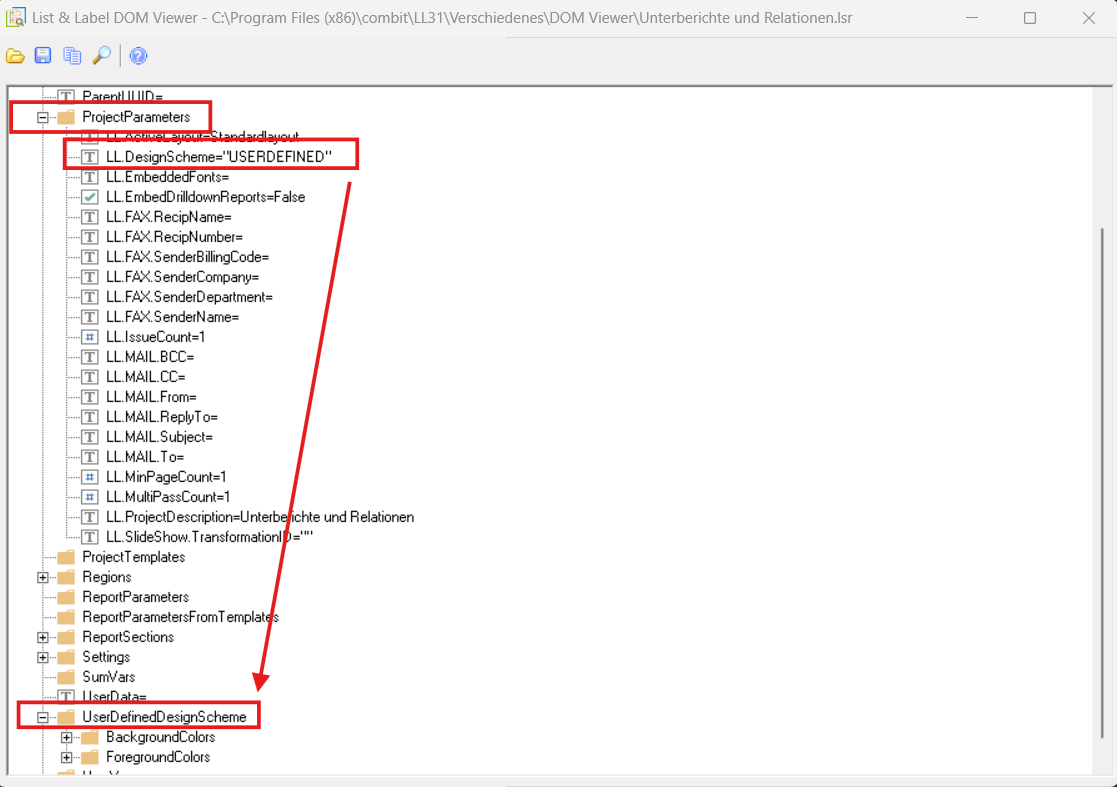
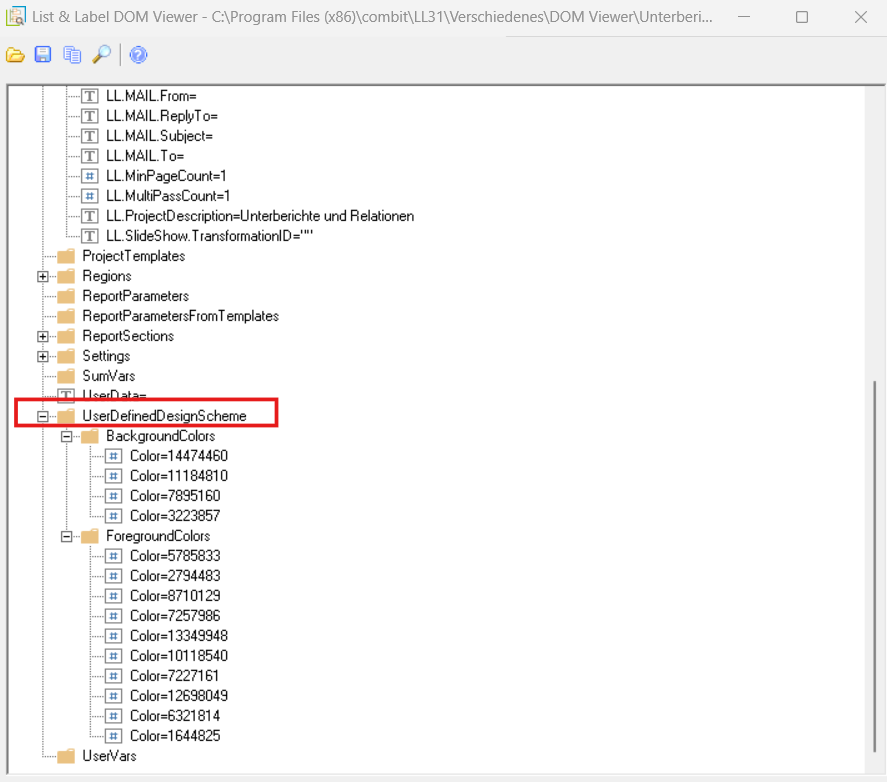
This way you can either predefine the USERDEFINED scheme or provide your users with your own configuration screen, where you can assign meaningful names to each color—it’s entirely up to you!
Optionally, you can set the default scheme to USERDEFINED (for a new report) via the options LL_OPTIONSTR_DEFAULTCHARTSCHEME and LL_OPTIONSTR_DEFAULTSCHEME.
You will find detailed descriptions of these options here:
https://docu.combit.net/progref/de/#!Documents/llsetoptionstring1.htm
As always, if you need more detailed advice or run into issues with your project, we recommend opening a support case with us, where you can also share your project details for review.
I am also adding the following two .NET links for other users who might be following this thread (these might not be applicable to you):
-
Setting colors in the UserDefined Index:
https://docu.combit.net/net/en/combit.ListLabel~combit.Reporting.Dom.PropertyDesignSchemeColors~Item.html -
Selecting the UserDefinedScheme:
https://docu.combit.net/net/en/combit.ListLabel~combit.Reporting.Dom.PropertyUserDefinedDesignScheme.html