I see there are default schemes. I see there are multiple colors.but how do I know what colors are used for what. Is there somewhere a report(s) which shows all colors used where they are intended for. Or is there a description which of the 10 colors and 4 background colors are used for what?
Secondly. If I know the above how do I create my own scheme of color and add it to my template. Ok found the User-Defined. And how to change it.
Thank you for your question. Unfortunately, this isn’t really documented. The background colors are used, for example, in header areas — and depending on the nesting level, a different color is applied. It works similarly for crosstabs, and the colors are also used in charts.
The easiest way is to just try it out in your existing reports—you’ll quickly see how the colors behave in practice.
To me colors are important. I would like to give my customers the control over their colors so for example they can modify the colors in standard reports by changing to their own company house style.
No I do not allow customer to maintain their own reports.Well not at the moment so
For me it just makes sense to know what colors are used for what. Right usage of colors can make your reports well in this example of invoices stand out.
The same when using graphs. The graphs I use in the application I give the end using control what to use.
I am sure you used color experts to create you design schemes. I am not, but do think it does change over the years. Cannot look back to olders version. But please consider to open this up with LLSetOption
Here is the response we promised regarding the individual color scheme.
A similar request has already been suggested here: https://forum.combit.net/t/create-own-named-color-scheme/7554. You can always create and vote for new ideas in our Idea Place. Obviously, the more users request a feature, the more likely we are to consider it for future implementation.
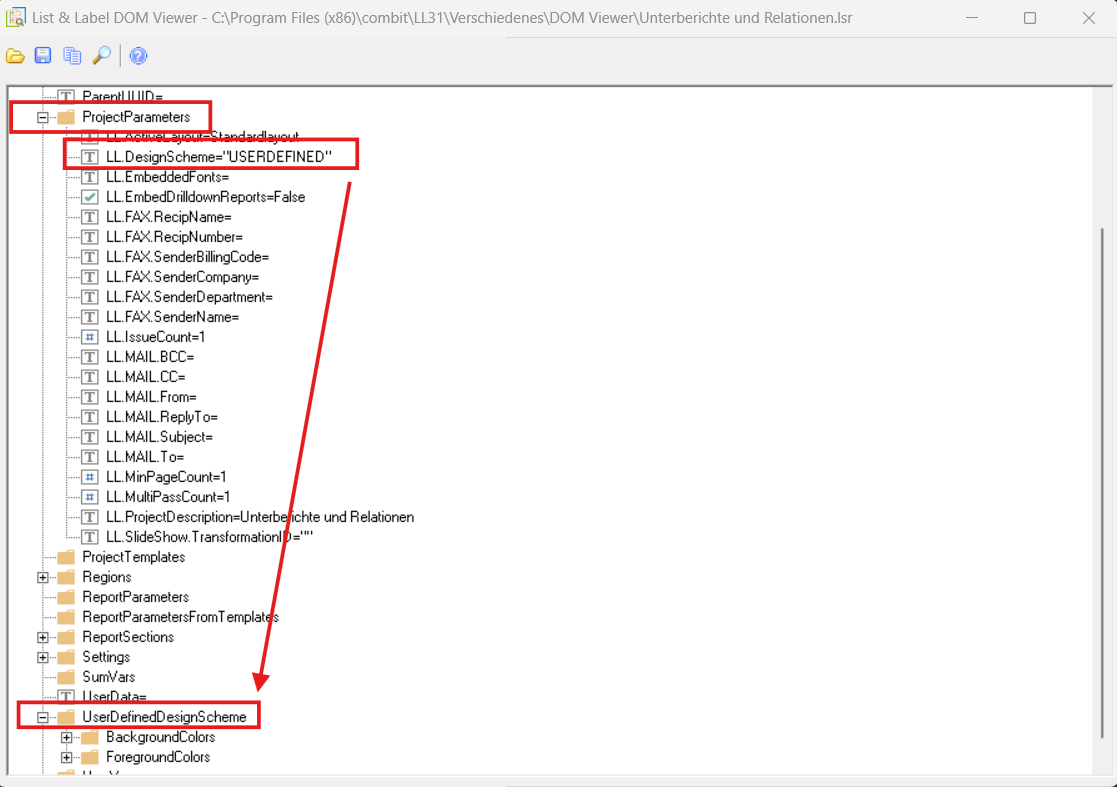
Using the DOM viewer, you can easily identify the names of the objects you would like to work with: C:\Program Files (x86)\combit\LL31\Verschiedenes\DOM Viewer
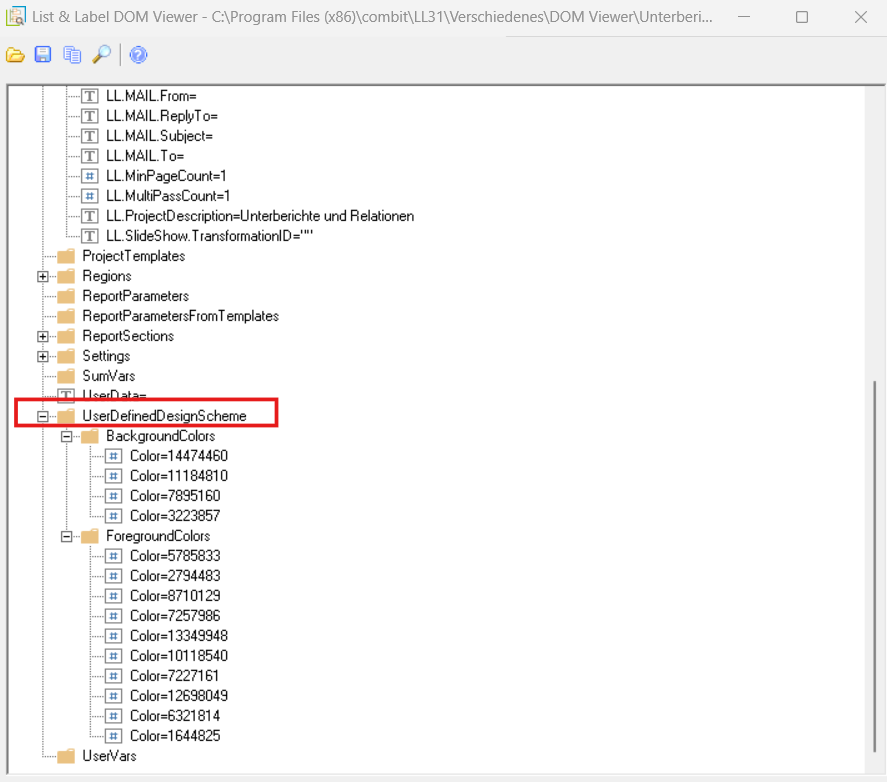
Here are two screenshots taken from the DOM viewer, which show the two sections relating to the color scheme of your project.
This way you can either predefine the USERDEFINED scheme or provide your users with your own configuration screen, where you can assign meaningful names to each color—it’s entirely up to you!
Optionally, you can set the default scheme to USERDEFINED (for a new report) via the options LL_OPTIONSTR_DEFAULTCHARTSCHEME and LL_OPTIONSTR_DEFAULTSCHEME.
As always, if you need more detailed advice or run into issues with your project, we recommend opening a support case with us, where you can also share your project details for review.
I am also adding the following two .NET links for other users who might be following this thread (these might not be applicable to you):
Started looking at the dom model. Maybe I can do what I want. But interestingly the color settings in DOM do not have the numbers. But the order looks 0 on top and going down.
In the dataflex sample there is a small sample how to access the dom. I get that. I can follow that code and sort of adjust it. But how can you access the colors if all background and ForegroundColors have the same name. I would expect color1 color2 …….
Tried many possible options but do not get the information. Could find something in the developers manual, but when you have the handle to the object and use ““ you get the value. Maybe logical not for me. Maybe add that to the manual.
Setting if I read the manual properly
“The transfer parameter for the value must be a valid List & Label formula”